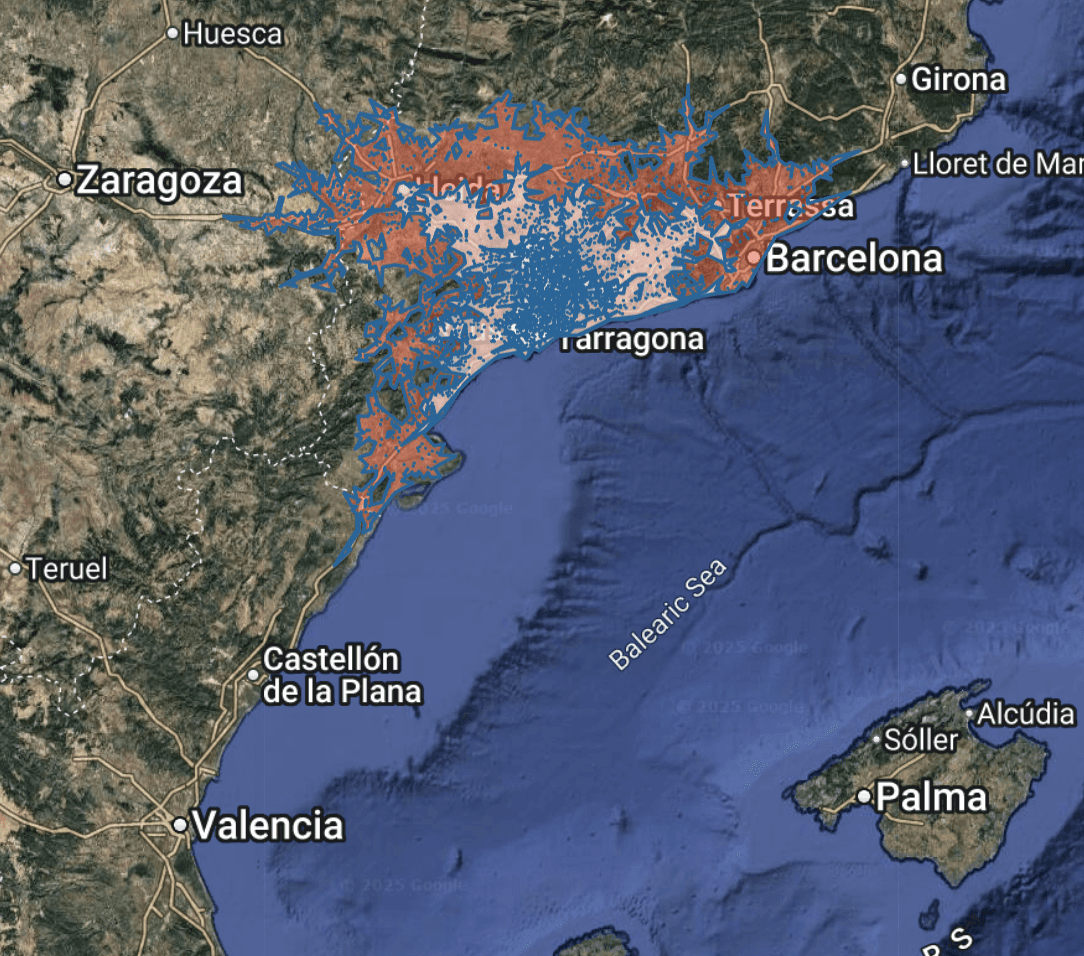
Overview
Many organizations already maintain their own boundaries, catchments, or infrastructure data — often created in tools like Google Earth, ArcGIS, or QGIS. These files, saved in KML or KMZ format, represent valuable intellectual assets: store trade areas, telecom coverage polygons, franchise territories, or emergency response perimeters.
Rather than redrawing these in Population Explorer (PopEx), you can import them directly. PopEx supports KML (Keyhole Markup Language) and KMZ (compressed KML) — two of the most common spatial exchange formats used worldwide. Once imported, these files integrate seamlessly into PopEx’s data model, allowing you to analyze existing areas using the same high-resolution population, income, and POI layers that power all other workflows.
Why You Might Import KML/KMZ Files
Retail and Franchise Workflows
Import store catchment areas or drive-time polygons created in another system (e.g. Google Maps API or Esri Business Analyst).
Compare modeled trade areas with PopEx population, density, and income data to validate reach assumptions.
Merge multiple KMLs to visualize franchise coverage and identify overlap or white space opportunities.
Sales Territory Mapping
Bring in existing sales territory boundaries for validation, rebalancing, or demographic updates.
Evaluate population and income potential within each territory to confirm equitable distribution.
Export revised boundaries back out of PopEx as updated KML files for your CRM or sales routing tools.
Telecom and Infrastructure Planning
Import tower coverage footprints, signal contours, or engineering polygons created by RF or GIS teams.
Combine with PopEx population grids to quantify how many people fall within or outside coverage areas.
Visualize POIs (e.g., hospitals, schools, business districts) inside each coverage zone to assess service demand.
Humanitarian and Disaster Response
Import administrative zones, camp boundaries, or hazard impact areas for population-at-risk estimation.
Quantify population and income characteristics within each imported area to support relief planning or resource allocation.
Supported File Types
Format | Description | Notes |
|---|---|---|
.KML | XML-based geographic format used by Google Earth and many GIS systems. | Fully supported; ideal for sharing and single-layer imports. |
.KMZ | Compressed KML (zipped) file that may include multiple layers or icons. | Supported; PopEx extracts polygons, lines, and points automatically. |
.ZIP (containing KML/KMZ) | Optional for batch upload. | One or more KML/KMZ files may be included in a ZIP archive. |
Step-by-Step: Importing KML or KMZ into PopEx
Prepare Your File: Ensure your file ends in .kml or .kmz and uses the WGS84 coordinate system.
Create a Folder: In the left drawer, click New → Create Folder and name your project.
Import the File: With the folder selected, click New → Import Data → From File and choose your file.
View and Verify: Your imported shapes will appear on the map. Click each to view geometry and metadata.
Run Demographic Analysis (Optional): Select an imported item to compute ASB results — population, density, and income — or toggle POIs for competitive context.
Export Results (Optional): Use Export → Excel or Export → KML to save your enriched data.
Best Practices and Notes
Check file complexity and simplify geometry where possible for faster rendering.
Ensure coordinate accuracy using latitude/longitude (WGS84).
Import multiple KMLs for comparative analysis or aggregation within folders.
Example Workflows
Sector | Imported Data | Typical Analysis |
|---|---|---|
Retail & Franchise | Drive-time catchments or market areas | Validate reach, compare overlap, assess white space. |
Sales Territories | Regional or rep boundaries | Balance by population or income metrics. |
Telecom Planning | Tower coverage zones | Measure population within coverage. |
Humanitarian Response | Affected area polygons or admin zones | Estimate population-at-risk. |
Further Reading
Need More Help?
If you run into issues, please contact us.


