Overview
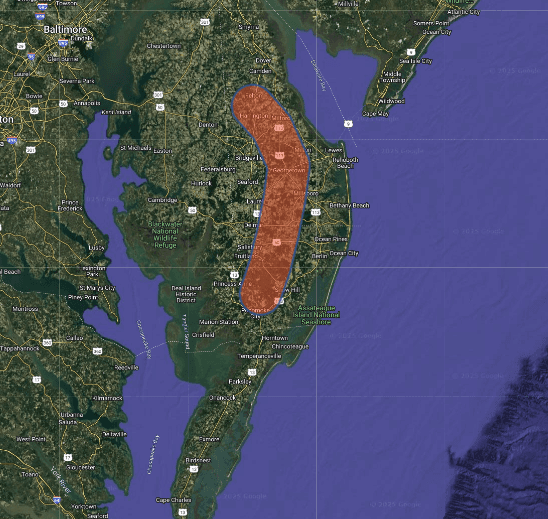
When disasters strike, humanitarian response teams need to know how many people are affected—fast. Population Explorer (PopEx) helps quantify populations within floodplains, earthquake impact zones, storm tracks, or any other hazard footprint. Using high-resolution datasets such as WorldPop and LandScan, PopEx provides rapid, map-based estimates to guide early response, funding appeals, and coordination.
Whether the event is a flash flood in Pakistan, a cyclone in Mozambique, or an earthquake in Nepal, PopEx enables teams to overlay hazard extents with population data, providing transparent, reproducible impact estimates for initial situation reports and decision-making.
Scenario Example
Following a major flood in Malawi, UN OCHA receives a KML file of inundated areas from the national disaster management agency. Within minutes, analysts upload the flood polygons into PopEx and calculate how many people live within the affected footprint. The results help prioritize districts for assessment and inform the first Flash Appeal.
Step-by-Step: Calculating Affected Populations
In the PopEx workspace, create a folder named after the event (e.g., “Malawi Floods 2025”).
Import hazard polygons via File → Import KML/KMZ. Each polygon represents a hazard extent, such as flood inundation or landslide zone.
Open Layers → Settings and choose the relevant dataset (WorldPop 2024+ or LandScan 2023). Select the most recent year available.
Click on each polygon to open the summary panel. Review Population Total, Density, and age/sex breakdowns for affected areas.
PopEx automatically aggregates folder-level population totals. There is no manual setting—overlaps are resolved automatically when polygons are in the same folder.
Export the results using Export → Excel or Export → KML for integration with response dashboards or reports.
Interpreting the Results
PopEx estimates show how many people were likely living in the affected areas before the event. They provide a baseline for “population exposed” rather than “population impacted.” Adjust these figures once field assessments confirm destruction levels or displacement data become available. For floods or landslides, note that the hazard footprint often changes daily—re-upload new polygons as updated maps arrive.
Best Practices
Always verify KML or KMZ files are georeferenced correctly before importing.
Use the latest available dataset (WorldPop for finer detail, LandScan for national coverage).
Compare pre-event and post-event populations to assess potential migration or displacement.
Document data sources, processing date, and responsible analyst for audit transparency.
Example Applications
Use Case | Goal | PopEx Tool |
|---|---|---|
Rapid disaster impact | Estimate population within hazard extent | File → Import KML/KMZ |
Flood or cyclone exposure | Overlay flood polygons with WorldPop | Folder Aggregation |
Earthquake response | Calculate population in shake zones | Custom Polygon + Export |
Appeal and funding justification | Support needs estimates with data | Excel Export |
Verification
Cross-check PopEx’s population estimates with national census data or disaster impact reports. For model validation, compare exposure numbers with observed displacement counts from IOM DTM or OCHA’s situation reports. PopEx results should fall within expected magnitude ranges for the hazard type and region.
Next Steps
Need More Help?
If you run into issues, please contact us.


